On this page
- How do you secure an AI coding workflow?
- Step 1: Put your rules in the agent (prompt time)
- Step 2: Guard the dangerous actions (action time)
- Step 3: Scan continuously and feed findings to the agent (scan time)
- Step 4: Gate the pull request and clear the backlog (PR time)
- What this looks like end to end
- Frequently asked questions
- How do you secure an AI coding workflow?
- Does adding security slow developers down?
- What is the most important control to add first?
- Do I still need SAST and CI scanning if the agent is governed?
- How is this different from just using my AI agent's built-in safety features?
- Which agents does this work with?
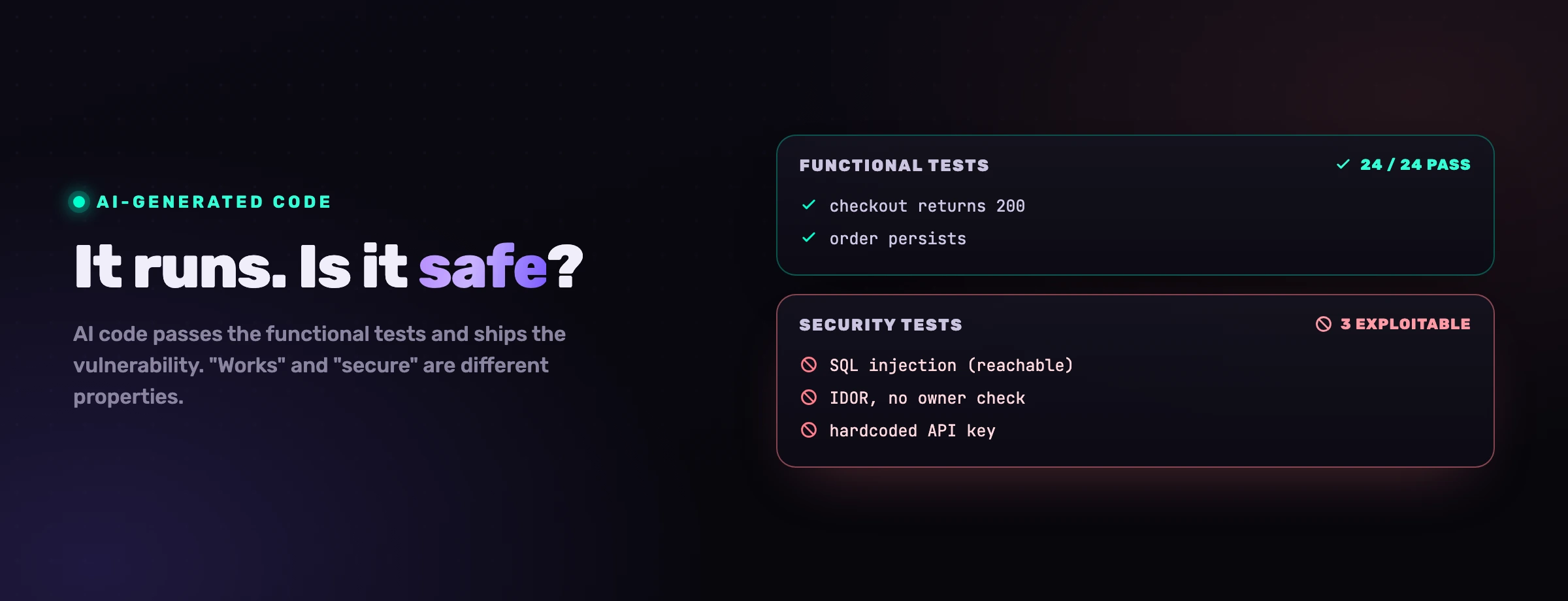
Your developers already adopted AI coding agents, and they are not giving them up. The question for an engineering leader is no longer whether to allow Claude Code, Cursor, Copilot, Windsurf or Codex, but how to make the code they produce safe without putting a brake on the velocity that made them worth adopting. The answer is not one tool or one gate. It is four control points, placed where the code is actually created, so security rides along with generation instead of arriving after it. This is the playbook: what each control point does, the order to add them in, and how the whole thing runs in a single developer session.
How do you secure an AI coding workflow?
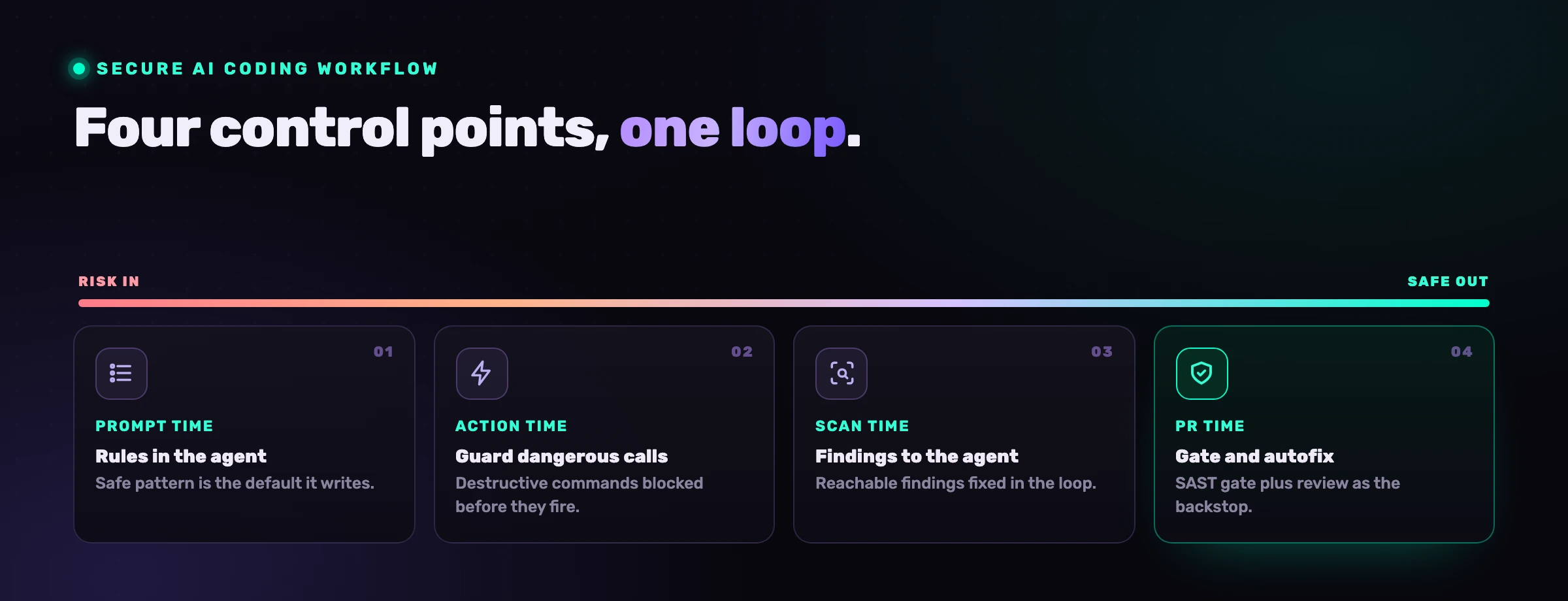
You secure it by controlling what the agent writes and does, in the loop, rather than only inspecting the diff after the fact. The pull request used to be the home of AppSec because a human slowed down to read it. An AI agent does not run at human cadence, so a control that only acts at the PR is reviewing history, not preventing it. The fix is to add controls at each point where risk enters: when the agent writes, when it acts, when the code is scanned, and when it is merged.
Think of it as four control points along the path a change takes, from prompt to production. The earlier ones prevent; the later ones catch. You want all four, but the leverage is front-loaded: a vulnerability never written needs no triage, no fix and no review.
Step 1: Put your rules in the agent (prompt time)
The highest-leverage control is the one most teams do not have: your rules in the agent's hands before it writes. A model cannot follow a standard it never sees, so load your security requirements (parameterize queries, scope every lookup to the caller, never inline a secret) and your business conventions (money uses Decimal, writes go through requireOwner, queries are scoped to the tenant) into the agent's context for each edit. The safe pattern becomes the default it reaches for, not an afterthought a scanner flags later.
This is what turns "the agent writes the average endpoint on the internet" into "the agent writes your endpoint". It is also the cheapest control to run, because it produces nothing to triage. The deeper model is in AI coding agent security; the practical point is that this single move removes whole classes of finding before they exist.
Step 2: Guard the dangerous actions (action time)
AI agents do not just write, they act: they run shell commands, read files, call tools over MCP. So the second control point sits on the actions, not the code. A guard intercepts the dangerous call, a sudo rm -rf, a raw read of a secret-shaped environment variable, an ad-hoc psql against a production-looking host, before it fires, and blocks or warns per rule with every interception logged.
This matters most when the agent can be steered. Prompt injection (hidden instructions in a file, a web page, or an MCP tool response) turns a helpful agent into one that acts on an attacker's intent, and the only thing standing between an injected instruction and a destructive command is a control that watches the action itself. Keep auto-run modes off in any environment with real data, and let the guard be the backstop.
Step 3: Scan continuously and feed findings to the agent (scan time)
Keep scanning, but change what you do with the results. Run reachability-aware SAST, plus SCA, secrets, license, IaC, container and CI/CD scanning, continuously on every push, so new findings surface as the agent ships. Then close the loop: put those confirmed, ranked findings back into the agent's context so it remediates the real ones in the same session it is already coding in. The scan finds; the agent fixes; you approve. We cover this loop in AI vulnerability remediation.
The reason to filter by reachability first is volume. An agent generating thousands of lines a day generates findings at the same rate, and a scanner that raises 1,200 issues where 12 are exploitable trains everyone to ignore all 1,200. Working from the reachable set is what keeps the backlog actionable, the subject of why most SAST findings are noise.
Step 4: Gate the pull request and clear the backlog (PR time)
Keep the controls you already have, they are the safety net. A SAST gate that fails the build on high-severity, reachable findings, plus human review with extra scrutiny on authentication, queries and authorization, catches what the earlier steps missed. Add autofix so the agent clears the existing backlog rather than letting it grow: point it at a severity tier and let it open fixes you approve.
The mistake is making the PR the only control, because at AI cadence nobody reads thousands of generated lines end to end. The PR gate is necessary and insufficient; it works because the first three steps have already thinned what reaches it.
What this looks like end to end
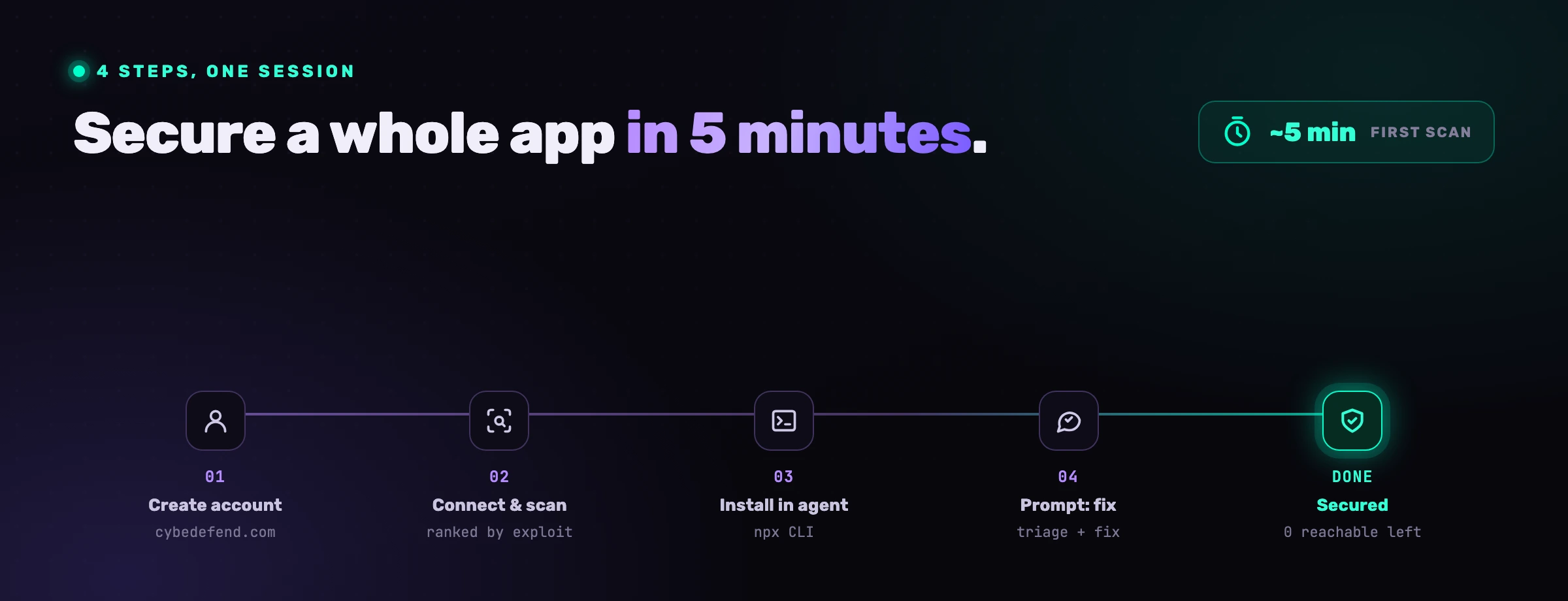
In practice the whole thing is one developer session, not a program rollout. The developer prompts as usual; the rules are already in the agent, so the code comes out safer. The guard sits on the dangerous calls. The scan runs in the background and surfaces what is open. The developer asks the agent to fix the reachable criticals and approves the diffs, and the PR gate confirms nothing slipped. The detailed, timed walkthrough is how to secure a whole app in five minutes.
VibeDefend is the layer that installs the first three control points with one command. It wires Claude Code, Cursor, Windsurf, OpenAI Codex and VS Code Copilot into four governance layers inside the agent loop, in about five seconds, with no container, no YAML and no pipeline change.
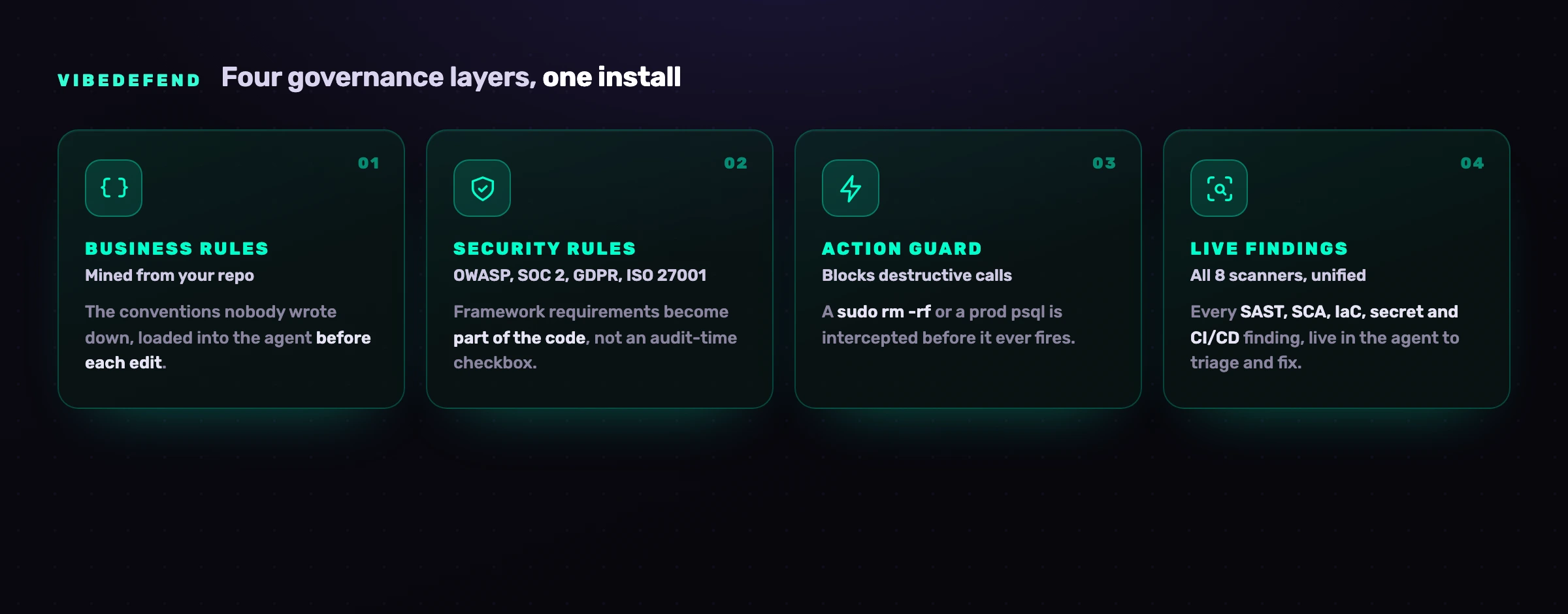
The four layers map onto the control points exactly: Business Rules mined from your repo and Security Rules from OWASP, SOC 2, GDPR and ISO 27001 are the prompt-time control; the Action Guard is the action-time control; and Live Findings wires the agent into CybeDefend's scanners so scan-time findings come back to the agent to fix. Nothing about your code crosses the wire; only structured governance metadata does, on EU or US regions kept physically separate. Your CI SAST gate and review stay where they are, as the backstop.
Frequently asked questions
How do you secure an AI coding workflow?
By adding controls at the four points where risk enters, not just at the pull request: prompt time (rules loaded into the agent so it writes the safe pattern first), action time (a guard that blocks destructive commands and secret reads), scan time (reachability-aware scanning fed back to the agent to remediate), and PR time (a SAST gate plus human review and autofix). The first two prevent vulnerabilities; the last two catch what slips. Front-loading the controls is what keeps it fast.
Does adding security slow developers down?
No, when the controls run inside the loop developers are already in. Rules in the agent change what it writes with no extra step; the action guard only interrupts genuinely dangerous calls; findings come back into the same session; and autofix removes work rather than adding it. What slows teams down is the opposite, a backlog of post-merge findings nobody has time to triage. Moving the control earlier reduces that load.
What is the most important control to add first?
Rules in the agent at prompt time. It is the highest-leverage and cheapest control because the vulnerability it prevents never has to be found, triaged, fixed or reviewed. A model cannot follow a standard it never sees, so loading your security and business rules into its context for each edit removes whole classes of finding before they exist. Everything else is a safety net behind it.
Do I still need SAST and CI scanning if the agent is governed?
Yes. CI SAST and dependency scanning stay as the backstop for anything the earlier controls miss and for code humans still write by hand. The change is that they are no longer the only control, because at AI speed nobody reviews thousands of generated lines end to end. Governing at generation time thins what reaches the gate, so the gate becomes effective again instead of overwhelmed.
How is this different from just using my AI agent's built-in safety features?
Built-in features (sandboxes, approval modes, content exclusions) secure where the agent runs and what it can touch; they say little about the security of the code it writes or your specific business rules. This playbook adds the missing layer: your rules in the agent, a guard on its actions, and your scanners' findings in its hands. Use both, the agent's native controls for containment, and an agent-time layer for the code itself.
Which agents does this work with?
The same approach applies across Claude Code, Cursor, Windsurf, OpenAI Codex and VS Code Copilot, because they share an agentic shape: they read, write, run and call tools. One install wires all of them into the same governed loop, so the workflow is identical regardless of which agent a given developer prefers. Per-agent specifics are in our guides to Claude Code and Windsurf.